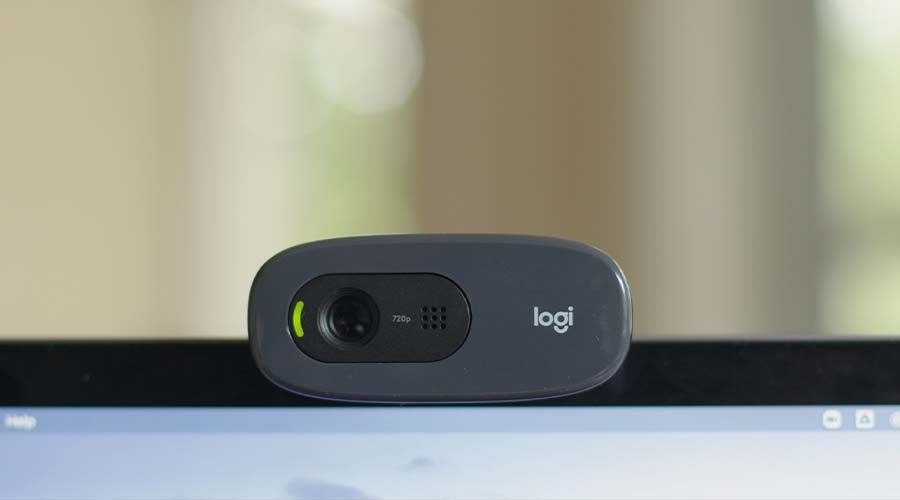
Although many modern laptops feature great built-in webcams, they are regrettably somewhat limited. Mobility is a major issue since there is little you can do when the camera is stuck inside a laptop screen because the angle between your face and the screen is not optimal for producing a flattering or attentive look.
The Coronavirus epidemic caused a significant surge in video conferencing and general video chat. The rise in video chat usage over the epidemic is expected to continue as individuals began to realize the benefits of working from home and general video chat. Although most laptops include their own built-in camera, these are often of low quality and difficult to use.
There is a huge number of hd webcams available for purchase, each with a different price range and set of features. The greatest webcam may be purchased if one is aware of the specs and knows what to look for in terms of performance.
There are so many hd webcams available that it might be difficult to choose which one and which specifications will make you seem your best with the least amount of effort. In this buying guide for webcams, we'll go over the essential hardware requirements, unique capabilities, and advantages of webcams.
Resolution and Frame rate
In video conversations and conferences, some persons appear far less crisp than others. Usually, the resolution of the camera or webcam is to blame.
The webcam's resolution is expressed in pixels.
The majority of video these days is HD, and the video resolution for this is 1920 x 1080. The images are in a format known as landscape mode, which has a larger dimension on the horizontal plane and a shorter one on the vertical.
A faster frame rate makes motions on the screen look smoother and results in clearer visuals. The resolution and frame rates that webcams can provide have a direct impact on their pricing.
The frame rate, which is measured in frames per second (fps), is another factor in determining the quality of a video. In particular, if the frames are at a high resolution, higher frame rates (60 fps and beyond) result in smoother-looking film and a bigger file size.
However, because of the delays caused by the Internet and the video conferencing platform, a frame rate of 30 fps is frequently sufficient for video conferencing and conversation. These alone cause some jitter and frequently do not exhibit fluid movement.
Field of view
The area that a gadget will be able to capture is measured by its field of vision (FOV). The values of the field of view, expressed in degrees, commonly range from 60 to 90 degrees horizontally, vertically, and diagonally.
You may usually find a diagonal angle on the webcam spec sheets. In actuality, it depends on how much of the space you want to display and how near you want to come to the camera.
A wide-angle lens can distort a face's appearance, making noses and chins appear a bit larger than they actually are. A wide-angle lens will make location less important and provide you with the option of including additional subjects if necessary.
Microphone
The majority of hd webcams for laptops include a microphone. Webcams having two microphones on either side of the lens provide the listener with a more realistic audio stream. An inexpensive camera is likely to have a microphone that sounds terrible and is extremely tinny. This is not the appropriate method to make an impression on business clients, etc.
The fact that the HD webcam has grills on either side of the lens indicates that many of them feature stereo microphones, however, this is not always the case. Webcam microphones are frequently made to pick up background noise and the noises of the entire room, so using one if you live in a noisy setting or are working in a shared space might not be the greatest option.
Autofocus and Low Light Corrections
Today's webcams almost universally have focusing capabilities. Compared to affordable HD webcams, higher-end versions often offer faster and more accurate autofocus like the Logitech c920 HD webcam.
If you need to use your webcam in the early morning or late at night and require more light than the ethereal glow of the display to illuminate your face, low-light correction is a lifesaver.
In dimly lit spaces, this function helps brighten and modify visuals. If you're having a really excellent hair day or are moving about, this function may also be useful for getting close-ups or action shots.
Software Integration
A wide variety of software support is included with some of the higher-end cameras. The major advantage of having a camera with software support is that it provides you more control over every part of the gadget, as the Logitech c920 HD webcam does.
You may see and adjust resolutions, frame rates, and zoom using the program. Check to see whether a gadget includes software and what functions it offers because every camera is unique.
Using an HD webcam is becoming typical practice. You might need to purchase a better gadget as a result. We hope that this purchasing guide for webcams will make it easier for you to grasp all the features and specs you need to locate the ideal gadget. The Logitech c920 HD camera is among the HD webcams we offer at Nextstore.