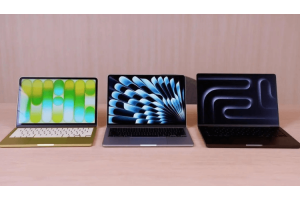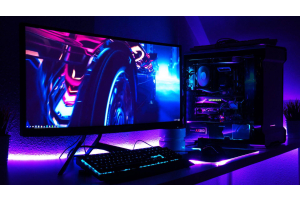
In India, gaming has become very popular over the past few years, and right now, demand for gaming laptops and PCs is at an all-time high. It is clear from the global chip shortage and the soaring price of GPUs.
The market for gaming accessories has increased significantly as a result. With features made specifically for gamers, demand for gaming keyboards, mice, headphones, etc. has skyrocketed.
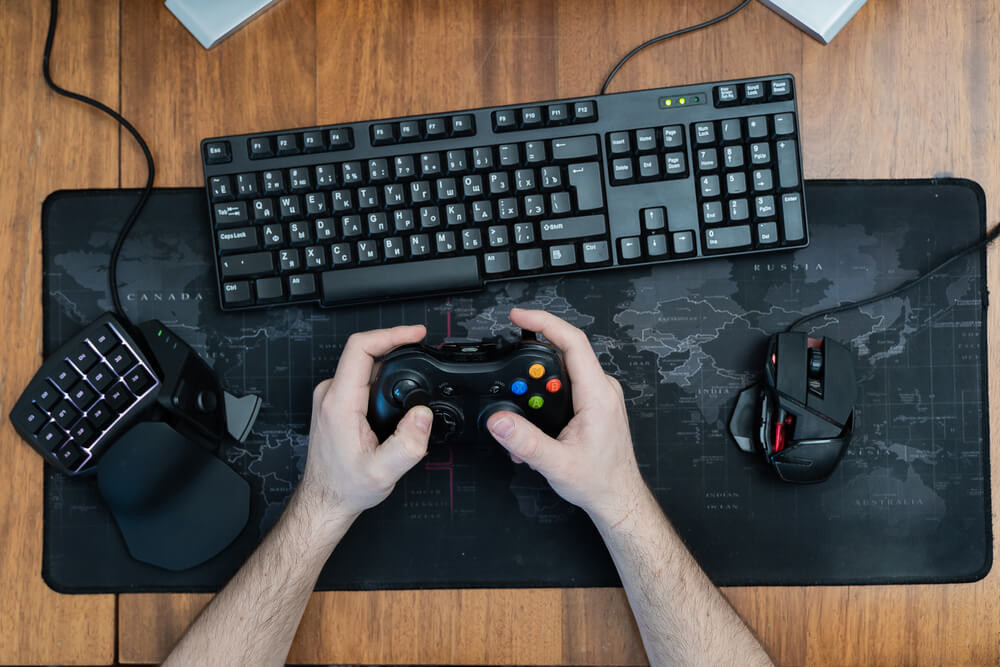
The keyboard and mouse are considered the hands of a gaming setup.
You probably never considered these two pieces of hardware that are a part of your technology stack.
They are the most often utilised, but also maybe the most ignored, component of your computer setup. They are always by our sides, whether working, playing, or are working, playing, or just relaxing. Possessing the best peripherals makes sense.
ERGONOMICS
Prior to quite recently, no one had ever heard of the word, but it is now widely used. Nowadays, it seems like every electrical product has the term "ergonomic" on it. When buying a mouse and keyboard, ergonomics is something you should take into account if you want to prevent repetitive stress injuries or carpal tunnel syndrome in your wrists.
The different ergonomic options all depend on the size of your hands and how much change from the usual you can tolerate (some of them are very dramatic), so be ready to test anything out and perhaps return it if it doesn't fit you quite properly.
WIRED or WIRELESS?
Most Bluetooth and wireless mice and keyboards have a range of up to 30 feet (9 meters), with latency and interference from obstructions typically only becoming a concern at the top end of this range.
If you use a wireless keyboard or mouse, you won't have to be concerned about coiling up your wires when you're on the move (only to have them unravel and tangle up in your laptop bag).
The workstation will be easier to place your keyboard and mouse for proper alignment and posture the more organized and uncluttered it is. Make sure your body is as central to your keyboard and mouse as feasible.
You'll appreciate how sleek wireless keyboards and mouse appear if you're a minimalist. However, interference issues and modest speed differences between wireless and Bluetooth mice and keyboards and their cable equivalents are possible.
Wireless mouse and keyboards need to be recharged because they aren't plugged into a power source. Although their battery life is generally astonishingly long, there is still a slight chance of being caught with a dead mouse or keyboard when out and about.
THE BUYING GUIDE FOR KEYBOARD
Dimensions of the Keyboard
You'll need a full-size keyboard if you want a numbers pad on it. The Tenkeyless keyboard, on the other hand, is a more compact keyboard that fits perfectly on a small desk.
Given that the Tenkeyless keyboard lacks a numbers pad, it enables you to keep your mouse close at hand. Naturally, travel mouse are more compact and lightweight than other varieties. They are perfect for storing in a laptop bag when travelling, taking the bus, or working from various locations.
Key Technology
Depending on what is under the keyboard keys, the way the keys feel can vary. Because of this, laptop keyboards behave and feel differently from, say, a desktop keyboard. There are keyboards available with different levels of resistance and button travel. You can get chiclet-style keyboards, which function more like a laptop keyboard, or mechanical keyboards.
Backlight
Although not every gaming keyboard has a backlight, those that do either feature RGB backlighting or just a single backlight. When compared to an RGB backlight, a single-colour backlight illuminates the keys in a single colour.
Connectivity
Keyboards can be wired or wireless Wired keyboards are physically connected to your computer through a cable, whereas wireless keyboards use radio frequencies like Bluetooth for connectivity. While a wireless keyboard allows you mobility, batteries need to be recharged. A wired keyboard does not have this issue, however, a wireless keyboard may exhibit some light input lag. With a wired keyboard, some cable management is all that is required.
For A Gaming Mouse
Connectivity
Although wireless mice do not have unsightly cords dangling all over the desk, a wired mouse will never run out of batteries. A wireless mouse can be used away from the computer and transported with you to use on other PCs, but a tethered device practically confines you to your computer.
A wired mouse can be plugged directly into a USB port, however, a wireless mouse requires the receiver to be inserted into the USB port. Both types of mice occupy a valuable USB slot. With a suitable laptop, some mice with built-in Bluetooth could reclaim the USB slot. The disadvantage of this is that occasionally it can be difficult to keep the Bluetooth connection.
Size
There is no reason why a travel mouse can't be used as your primary mouse. People with smaller hands will frequently find a trip model more comfortable than a normal version. Although there is no set size for full-grown mouse, they all seem to be comparable in size.
Settlable buttons
All mouse contain left and right buttons, and a scroll wheel, and some also feature additional programmable buttons for added functionality. These buttons have a variety of functions, from managing web browsing to creating macros.
Trackball
A trackball mouse can be the best option for those who struggle to use a normal mouse due to arthritis or other physical limitations. The ambidextrous design makes them suited for everyone, and the ball is quite accurate.
Price
Finally, take into account the keyboard and mouse's pricing depending on its features. Keyboards with additional functionality cost more than those without. You can decide which features are essential to you based on your needs and spending limit.
At NEXT STORE, a variety of mice and keyboards are available.