You're a die-hard gamer who enjoys playing the newest releases, but you've been forced to use your old, passed-down laptop. Now suppose that you've just acquired a brand-new desktop PC.
It's thrilling, but a desktop PC alone doesn't constitute a complete setup. Due to the fact that they have more control over the internal technology of their computer when purchasing or building a desktop PC, many consumers choose this option over a laptop. Likewise, you will have a huge variety of desktop PC accessories to pick from.
PC players rely on gaming peripherals or devices for connectivity, streaming, performance, control, and other functions to obtain an even better experience. Many individuals keep entering the industry because PC gaming is a genuinely enjoyable method for many people to reduce stress, interact with friends online, and appreciate technology.
Certain accessories are essentially necessary. A desktop computer cannot be used without a keyboard, mouse, or track. Other accoutrements, though, are less crucial. We are aware of how challenging setting up your gaming rig can be, especially for beginners. We created this guide in order to support you in making wise choices and constructing the gaming setup of your dreams.
Keyboards
The three items you must have for a desktop PC are a mouse, keyboard, and monitor. To finish your setup, you have three keyboard options: gaming, wireless, and wired. The three items you must have for a desktop PC are a mouse, keyboard, and monitor.
To finish your setup, you have three keyboard options: gaming, wireless, and wired.
However, depending on the keyboard's physical size, a number pad and other function keys could or might not be included.
While a wireless mouse is a must, a wireless keyboard is more of a nice-to-have. The cord isn't really a bother since you're not moving a keyboard around. Many people prefer using a wireless keyboard to a wired one.
A mouse for your needs
You'll need a mouse to utilize your desktop computer. It is an input device that interprets movement into an on-screen response such as adjusting the cursor or the camera in a game.
Consider buying a wireless mouse if you spend all day using a computer and your wrists start to ache from the wrist rest. Your hand position while working will vary as a result. The simplest basic computer mouse is the corded mouse, which is available in a wide variety. The typical wired mouse has three buttons for clicking: left, right, and a scroll wheel. There are three buttons in all, which is plenty for daily chores.
A gaming mouse is a wise investment for people who take their gaming seriously. In comparison to a standard mouse, they are designed to have quicker sensors, lighter weights, more buttons, and more customization options. There are several types available, but in general gaming mice allow you to play at your very best.
Headsets
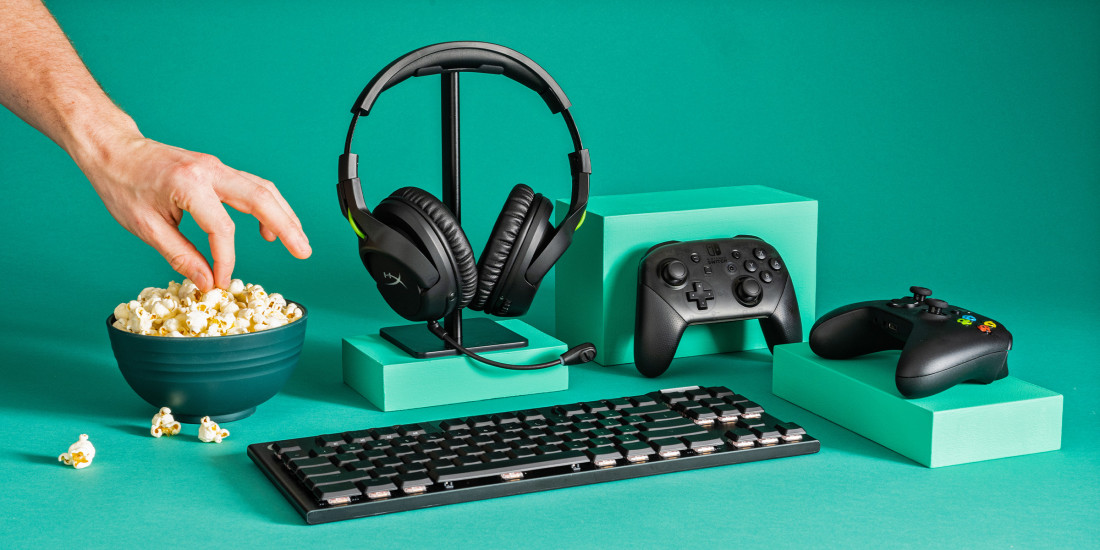
If you want to enjoy playing online multiplayer games with pals, an excellent gaming headset is a need. You occasionally need to do video conferencing or keep a strategically focused conversation. You need decent audio quality in order to have a genuine debate.
A top-notch headset might be your best friend in this situation. The majority of headsets available on the NextStore are designed with gamers in mind, but nothing prevents you from using them to enjoy music and movies as well.
A multi-platform gaming headset will come in handy if you enjoy playing games on both your gaming PC and your consoles. However, for optimum performance, you must also confirm that the headset is compatible with your console or device.
Game controllers
Some PC gamers favour a gamepad as their preferred gaming device, whereas the majority prefer to utilize a keyboard and mouse. You'll need an additional quality gaming controller since playing with pals makes the finest memories.
If you just have one game controller, you'll need an additional one or two to enjoy yourself with your loved ones. While investigating controllers, you should look for a controller with a conventional layout, sticks, face buttons, triggers, and a directional pad. With this configuration, the Controller may be used with almost any game.
Game chair and a webcam
A good camera may be quite helpful when live streaming, video chatting with friends, or doing business conferences. A video camera that connects to your desktop PC is called a webcam. With their clip-on mounts, webcams are simple to attach to the top of your display.
Strong back discomfort may result from prolonged or frequent gaming sessions. However, you may prevent this with the correct chair. A well-made chair with adjustable armrests, lumbar support, and ergonomic padding can aid in the development of better posture.
Conversely, a bad chair might make you feel achy and uncomfortable. Therefore, don't forget the chair while setting up your setup with mechanical keyboards and gaming controllers.
NextStore offers a wide range of gaming accessories that you will definitely wanna buy. Shop your dream accessories with us at NextStore.