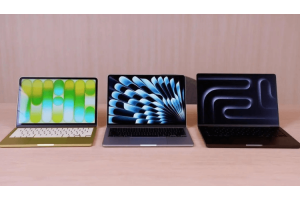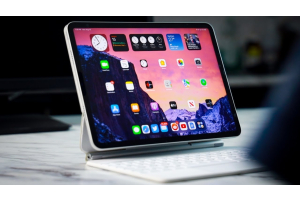
Both Apple (macOS) and Windows have been people’s top choices when going to purchase any tech device. 80% of users have already gone for Windows due to Apple’s expensive products, however, Apple provides what it promises while being worth the hype. In this blog, we aim to help you decide what you want to choose rather than just competing with both software. To begin with…
Compatibility
The majority of the computer market is dominated by Microsoft Windows. This indicates that there is a higher likelihood that it will work with other applications and programs.
Microsoft has made a Mac version of this available Mac version of this has been made available by Microsoft, and it resembles the Windows version greatly. This implies that well-known programs like Microsoft Office are compatible with Apple devices.
Apple users may have difficulty locating programs that are compatible with an Apple Mac for more specialized or unusual programs. Installing Parallels is a common option for Apple Mac users. This enables them to use their machine with the Microsoft Windows operating system.
On an Apple Mac, very few software programs are natively compatible. Choosing the ideal operating system for you is crucial. It is advisable to think about what you will use your computer for most often and what programs you will need.
Setup Experience
Both operating systems provide easy-to-follow setup instructions. Both are usable without logging into an Apple or Microsoft account, but the experiences are both enhanced if you do.
By not logging in, you'll lose out on synchronizing devices, voice assistants, app roaming, messaging, and a ton of other benefits.
Utilizing Cortana, Microsoft enables OS installation with voice commands. Apple doesn't use the Mac App Store for updating; instead, it uses the System Preferences. Both programs automatically detect and set up drivers for common hardware devices including keyboards, mice, and storage.
Durability
Compared to Microsoft Windows, Apple hardware used to be arguably more dependable. This is so that everything runs more smoothly. The Apple Mac operating system was created particularly for hardware components that were optimized to cooperate.
All of that changed a few years ago when Apple ceased producing its computer processors. Instead, they opted to resell Intel, resulting in the shared hardware usage by Windows and Apple Mac.
In this aspect, Microsoft is more accommodating by allowing Windows to be installed on almost any device. This gives you greater freedom to choose the kind of gadget you wish to use. Because it has a stylish and modern design, many customers opt to get an Apple Mac. Microsoft produces hardware and offers a variety of devices for different user types.
Desktop and Windows Management
Windows may be more easily arranged on the screen thanks to Microsoft's OS. The boundary between applications may be adjusted while they are running side by side.
Click on the taskbar's far right side to reveal or go to the desktop behind any open programs. The comforts keep coming. Multiple virtual desktops may be created in both operating systems.
The desktop switcher and the Timeline functionality are now combined in Windows (as shown in the screenshot above). Although it clogs up the Task View panel, this may be helpful if you need to return to a webpage or document but have forgotten its position.
Security
The largest market share makes Microsoft a target for attackers and exposes its consumers more. Microsoft Windows users have access to a broad variety of viruses, but Mac users still require antivirus and malware protection.
As a result of its growing popularity, Apple now receives more virus updates than Windows. Therefore, both devices have an identical chance of being impacted by a security problem. The question of stability is another.
Macs also triumph on this front as well, mostly due to Apple's influence over the hardware industry (third-party drivers are a major cause of instability on Windows PCs). Blue displays have even been observed on Microsoft Surface laptops.
Interface Customisation
Both operating systems include options for screen savers, screen item sizes, and desktop backdrops. Both Mac and Windows have dark modes, which are now all the rage. The Mac version is a little more system-wide and does not yet darken all older Windows dialogue boxes.
Both operating systems offer good plug-and-play support for multiple monitors, but Windows gives you a little bit more control. While each application window on macOS can only exist on a single monitor, you may stretch program windows over many displays with Windows.
Accessibility
Both operating systems provide a lot of accessibility features, but Microsoft has always placed greater emphasis on this. Both offer voice input, sticky and slow key entry, Braille support, and screen magnification, but only Windows allows a blind person to set up the system using voice commands. Even better, Microsoft now offers eye-based computer control, as seen in the image above.
For the Gamers
The most dedicated players don't need to look at this part. Even though there are many fantastic games on macOS and a version of Steam for the system, Macs often don't provide the same degree of internal component customization as PCs do. Windows also supports PlayStation and Xbox, there are far more top-tier games available for Windows than there are for macOS.
Alternate Inputs
Apple has finally added some touch functionality to macOS, although it is only accessible on specific Macbook Pro models thanks to the Touch Bar. Windows 10 features a Tablet mode that enables you to alternate between using the screen and keyboard for inputs and has always offered full touch-screen compatibility (provided, of course, that your laptop is equipped with a touch panel).
To benefit from this, there is a good range of convertible laptops and tablets available on the market. Pen input for Windows is another triumph. Strong style support is available on touch displays, and the translation of handwriting to text is excellent. Anywhere you type text, you may use a pen.
In the 3D and VR world
Windows comes with at least two applications that enable you to experience the 3D and VR worlds. The 3D Viewer application lets you see 3D models in a set of goggles or on a screen, whereas the Windows Mixed Reality Viewer app only functions with VR headsets and serves as a virtual gateway to VR programs.
Apple has made several advancements in support of VR. With the use of external enclosures for VR-capable graphics cards, you may edit 360-degree video content.
AI Helpers
Before Siri got to the Mac, Cortana was available on Windows 10. Today, she is still superior to Siri in a few key aspects. Both can be used to access applications and websites, display the weather, alter system settings, do mathematical operations, manage smart home devices, make reminders, send emails, and perform online searches. Both can be activated vocally. Siri, however, is unable to log off or turn off the computer.
Cost and Repairs
Apple computers cost a lot more than Microsoft devices. Almost all PCs that run on Microsoft Windows will end up being less expensive than purchasing an Apple machine. Until you compare it with Microsoft's Surface line, that is.
Finding the problem with an Apple device might be challenging because of how intertwined its components are. Because Microsoft components are more readily available, this might indicate that Apple repairs could be more expensive than Microsoft repairs.
Conclusion
The optimal hardware for your needs may vary depending on the nature of your firm. Additionally, you'll have priority weights dependent on the requirements of your OS. For instance, if gaming is your life, Windows is the obvious choice.
Because the Adobe products that creative professionals utilize were first developed for Apple, they may gravitate toward utilizing Apple PCs. Due to the bigger market dominance of Microsoft PCs and the fact that software compatibility and customization are unrestricted, this can be advantageous for almost all enterprises. Whatever operating system you might go for, Apple and Microsoft products are available at NextStore.