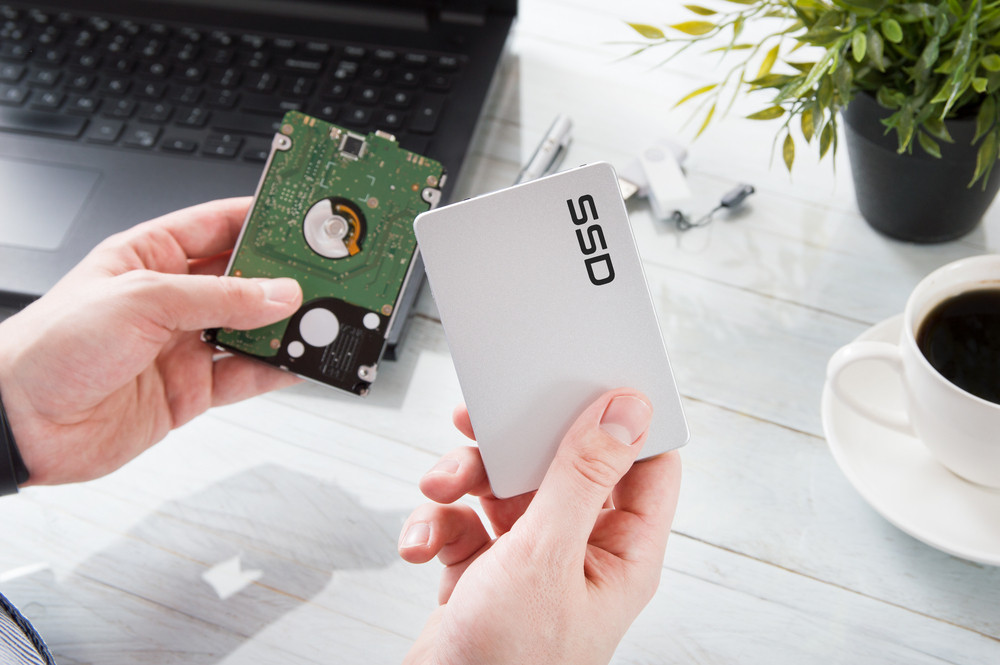
A more recent kind of computer storage is a solid-state drive (SSD). SSDs read and write data digitally using flash memory. SSDs offer nearly instantaneous boot and load speeds because they don't need to search for data manually.
Hard disk drives (HDDs), which use a spinning platter and an arm that moves over the platter to read each data segment, have been used by computers to store data for decades. HDDs are among the components of computer hardware that are most susceptible to malfunction or break due to their moving parts.
The way SSD technology works are quite different. SSDs use a NAND flash memory chip instead of any moving elements, making them a more robust component.
There are two types of SSDs:
NVMe M.2 PCIe SSDs
A communication strategy called NVMe (non-volatile memory express) was created especially for SSDs. It lowers CPU overhead and simplifies processes to enhance input and output (I/O) per second and decrease latency, increasing speed.
NVMe M.2 PCIe SSDs, which are about the size of a gum stick, are the fastest SSDs currently available on the market. They may be called M.2, PCIe alternatively.
SATA SSDs (2.5 inches)
A SATA (serial ATA) 2.5-inch drive, which fits into the drive bay intended to carry hard disk drives and reduces the need to change the connected AHCI, was the first type of SSD to be introduced to customers.
Advantages of SSDs
Durability
The SSD can keep the data safe even if it falls because it has no moving parts. In contrast to a mechanical HDD, which suffers significant management when subjected to shock, an SSD is better equipped to endure and handle shock (like dropping the laptop bag).
SSD experiences less wear and tear because it doesn't have any moving parts. SSDs have superior mechanical reliability because they don't experience mechanical failure. The SSD is shock and temperature-change resistant and lighter than an HDD.
Speed
Speed is an instant benefit of SSD. It has non-volatile flash memory for data storage, allowing for almost immediate access to files on the drive. SSDs allow for speedy reading and writing thanks to their quicker read-write speed.
Input Format
Since there are no moving parts, the circuitry is extremely compact and can even be downsized. The SSD can be made smaller and more compact by removing the little circuitry that takes up space. The SSD is portable thanks to its tiny size.
Noiseless
Noiseless It generates even more noise as it processes a massive amount of data. The SSD lacks such a moving component.
Usage of less energy
SSD uses a lot less power than HDD, which contains a lot of moving parts that generate power. While certain external HDDs need an external power supply to function, external SSDs can work without one.
Permanent Data Removal
For those situations when data protection is crucial, this function is very helpful. There is a probability of recovery when data is erased or deleted on an HDD. There is a possibility that some old data will remain since the new data does not match the old data. On an SSD, data is permanently wiped, leaving no little remnants of the previous data.
Lower Heat
Solid-state drives, as opposed to HDDs, produce less heat because they don't have motors. This is a crucial feature for those who use computers since it makes it possible for them to use them more comfortably on their laps for extended periods of time with no concern for burns.
Regarding data storage, solid-state drives utilize a distinct technique. They remain stationary while reading or writing data because they are constructed of linked flash memory chips. It does not spin any magnetic platters like its forerunner. As a result, SSD is quicker and more energy-efficient than HDD.
This enormous improvement is not just applicable to booting; you can also notice the difference in the gaming sector. SSDs can reduce the time by up to 60%. Comparing the current experience to the prior one, the game loading time is remarkably shorter.
Your load time decreases when an SSD is installed on your device. And because of that, you can do a task more quickly than you used to. An SSD enables you to multitask without any delay, from accessing programs and websites to backing up your data and checking antivirus software.
Your computer works twice as hard and operates more quietly if you install an SSD. SSD produces minimal noise because it lacks any moving parts. If you are not utilizing a speedier device, backing up your data can be really difficult. You could quickly back up all of your data if you used an external SSD.
Multiple SSDs are available at the Next Store, Your computer will run faster if you use an SSD, but the specs won't change. Decide why you want to utilize the laptop before making a choice. Installing a new SSD has numerous advantages, but it also has disadvantages, just like everything else in the world. When choosing a suitable SSD for your device, take all factors into consideration.